Kenko Lives in My Notch and Speaks Up When an Agent Needs Me
Most days I have three or four agents running at once. A couple of Claude Code sessions, a Codex run on something else, each in its own terminal tab.
They are fast. The slow part is me. One of them stops to ask if it can run a command, and the question sits in a tab I am not looking at. I find it twenty minutes later, type a single letter, and it carries on. Twenty minutes of waiting for a "y".
So I made Kenko. She is a character from my manga, and now she lives in the notch of my MacBook and keeps an eye on every session for me.
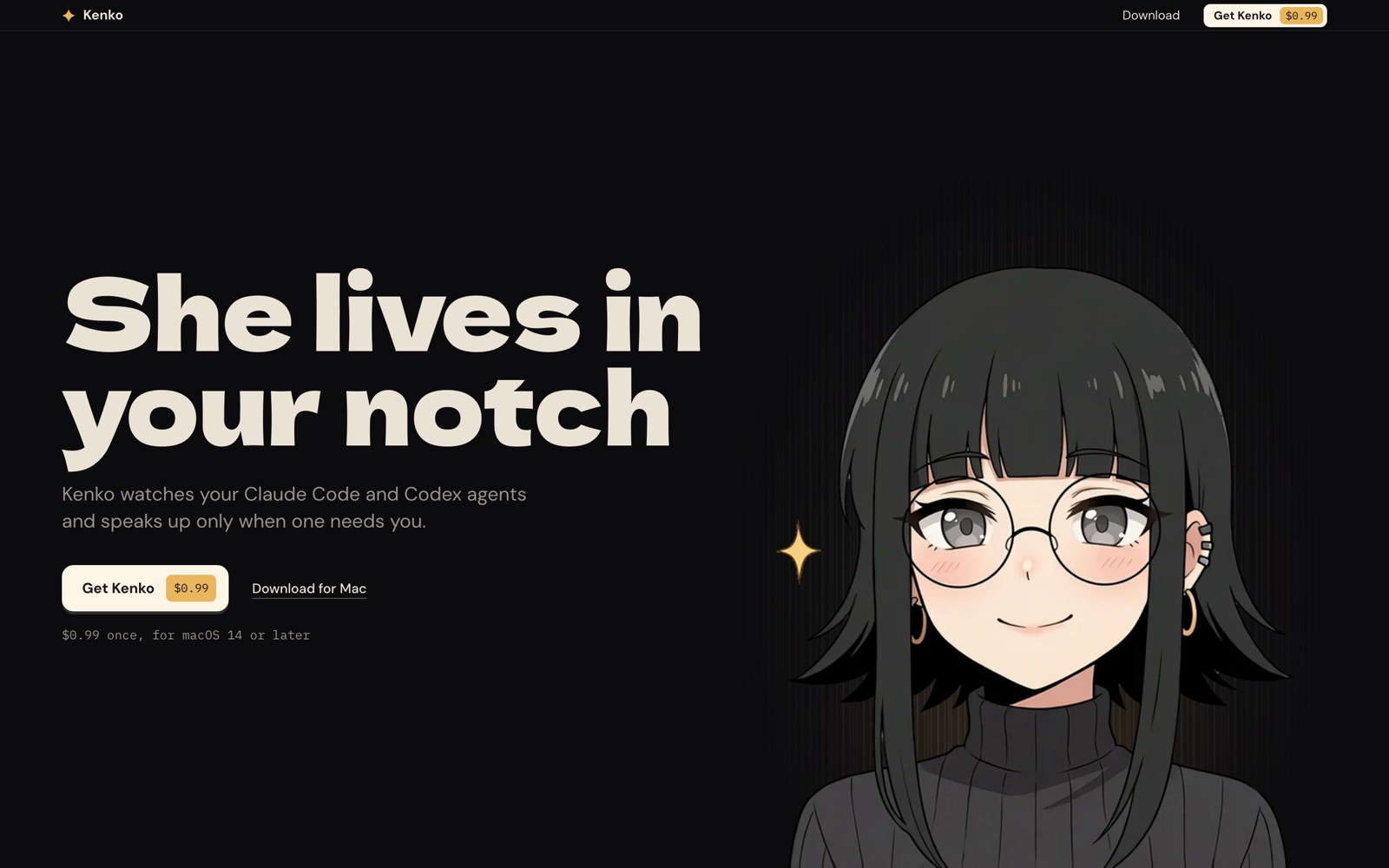
Quiet until something needs you
My first version reacted to everything. A session finished, she popped out to tell me. A new one started, she said hello. It was cute for about an hour and then it was just noise.
So I took most of it out. Now she stays in the notch while your agents work, and she only comes down when one of them actually needs you:
- an agent wants permission to run something
- an agent asks you a question
- a session is waiting on you in the terminal
- something failed
- you are getting close to your plan limit, at 80% and again at 95%
Finished turns and new sessions do not get a show. They get a small dot. That was the whole design brief, really: a coworker who taps you on the shoulder when it matters and leaves you alone the rest of the time.
Answer right there
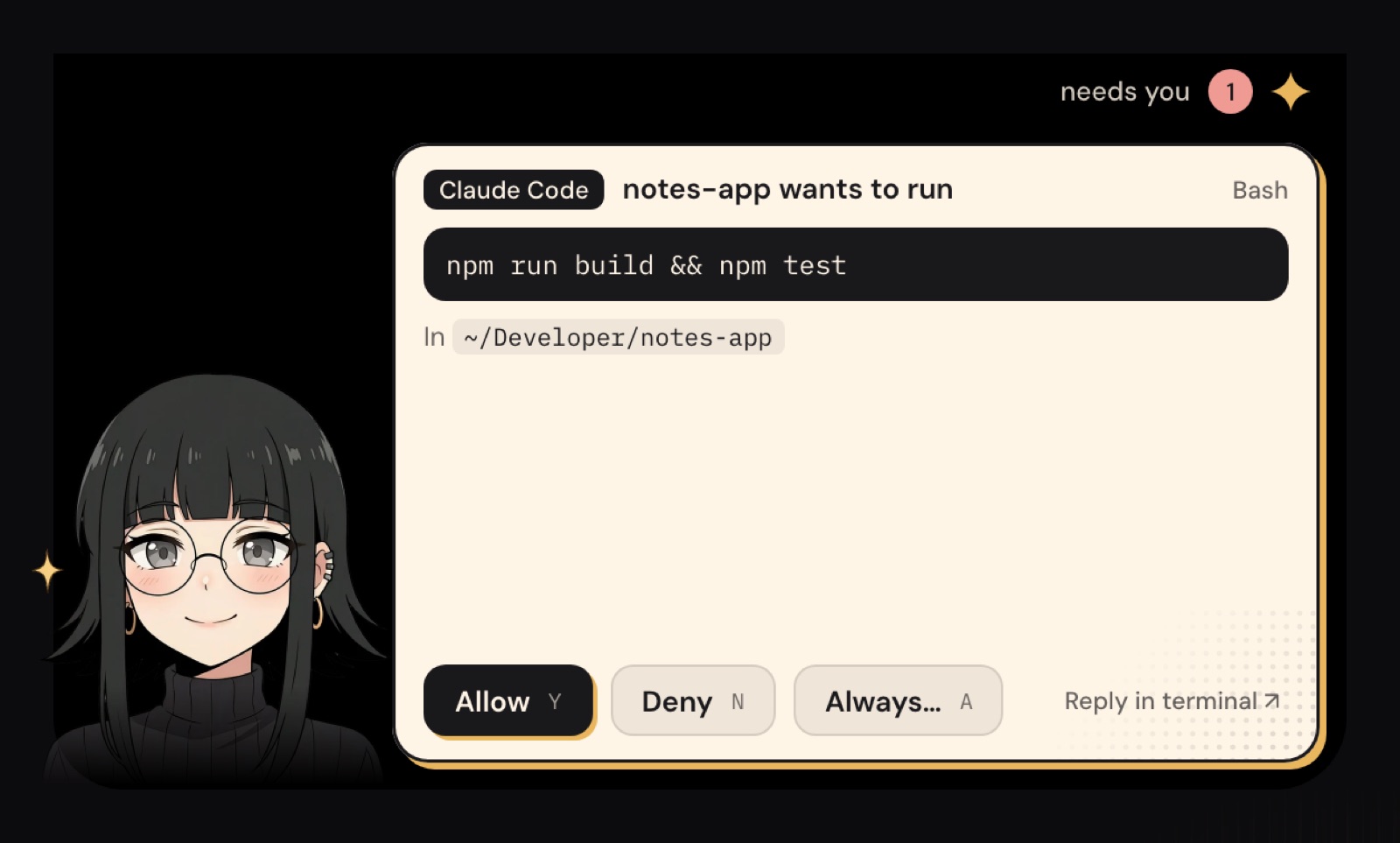
When an agent asks to run a command, the island opens with the command, the folder it runs in, and three buttons. Allow, Deny, or Always, which shows you the rule before you save it. Y, N and A work from the keyboard too.
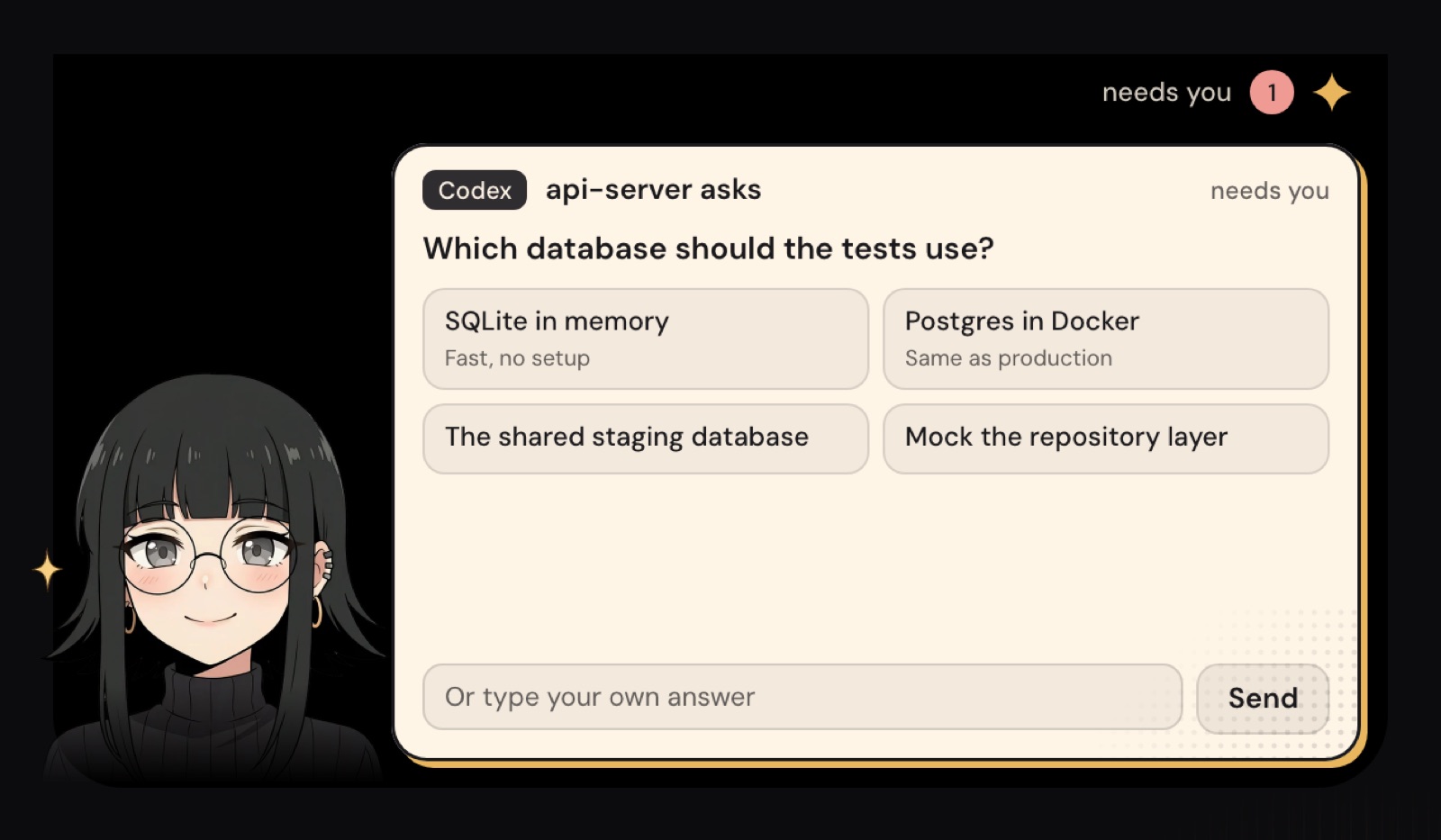
When an agent asks a question, you see its options as buttons, plus a box to type your own answer. Whatever you pick goes back to the agent exactly as if you had typed it in the terminal.
And if you would rather handle it yourself, there is a button that brings that exact terminal to the front. It knows Terminal, iTerm2, Ghostty, Warp, VS Code and Cursor.
Everything at a glance
Hover over the notch and she shows you the whole fleet. Every session, what it is doing right now, how many lines it changed, and how much of your 5 hour and weekly limits you have used. One click jumps to any of them.
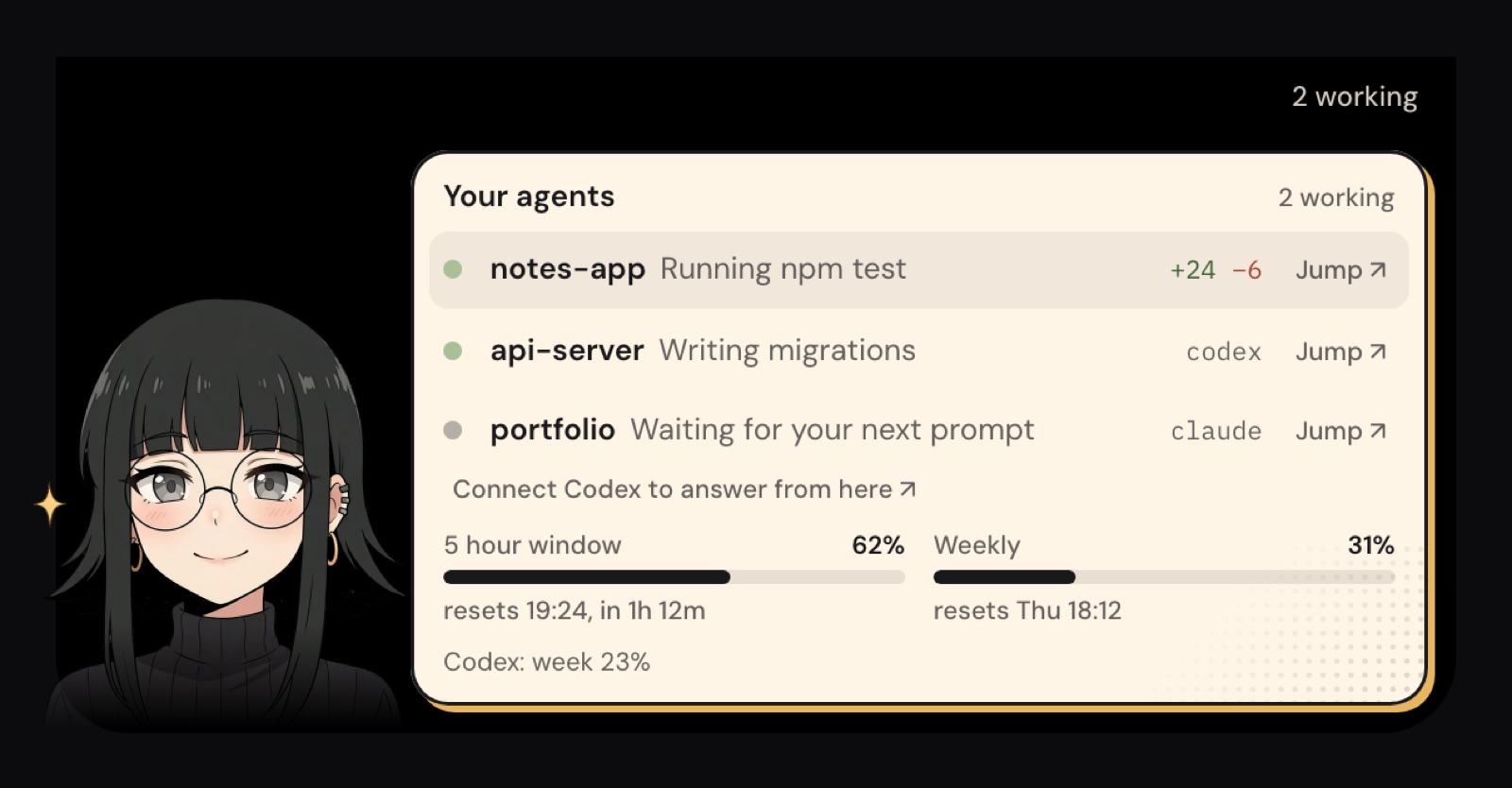
This is the view I use the most. I glance up, see that everything is moving, and go back to what I was doing.
How it works
Claude Code and Codex both support hooks, small commands they run at moments like "I need permission" or "I have a question". When you press Connect, Kenko adds her own hook entries to your Claude Code and Codex settings. She saves a backup of each file first, and Disconnect removes exactly what she added and nothing else.
The hooks talk to the app over a local socket on your Mac. Your sessions, prompts and code never leave the Mac. There is no account and no analytics in the app.
The character part is not decoration either. A face in the notch is easier to notice than another badge in the menu bar, and you can drag her out onto your desktop if you want her closer.
Where to get it
Kenko is a Mac app for macOS 14 or later, and it works with Claude Code and Codex. It costs $0.99, once. No subscription.
Get it at kenkoisland.com.
She joins the other small tools I built around agents. Ground Control puts your Claude Code sessions on your phone, and Nightwatch keeps the Mac awake while they work. Kenko is for when you are at the desk and want to stop babysitting tabs.