How to Make an Apple Style Scroll Animation for a Product Page
The reel showed Glimpse Glasses taking themselves apart as you scroll, in four steps: a start frame and an end frame, an AI video between them, the video split into frames, and a scroll linked canvas that plays them. No 3D software, and I did not write the page by hand.
This is the long version with the prompts, for one job only: a product page where scrolling plays your product. If you want the wider picture, I cover video scrubbing for portfolios in sites that react to people, five full builds in 5 portfolio websites with Claude and Higgsfield, and GSAP, Lenis and three.js in the scroll effects guide. I will not repeat those here.
Step 1: Generate a start frame and an end frame
Start from a real photo of your product. Mine came from the Glimpse Glasses product photo. In Higgsfield or any image model that accepts a reference image, turn it into a clean start frame: the product alone, centered, on a plain dark background, with room around it.
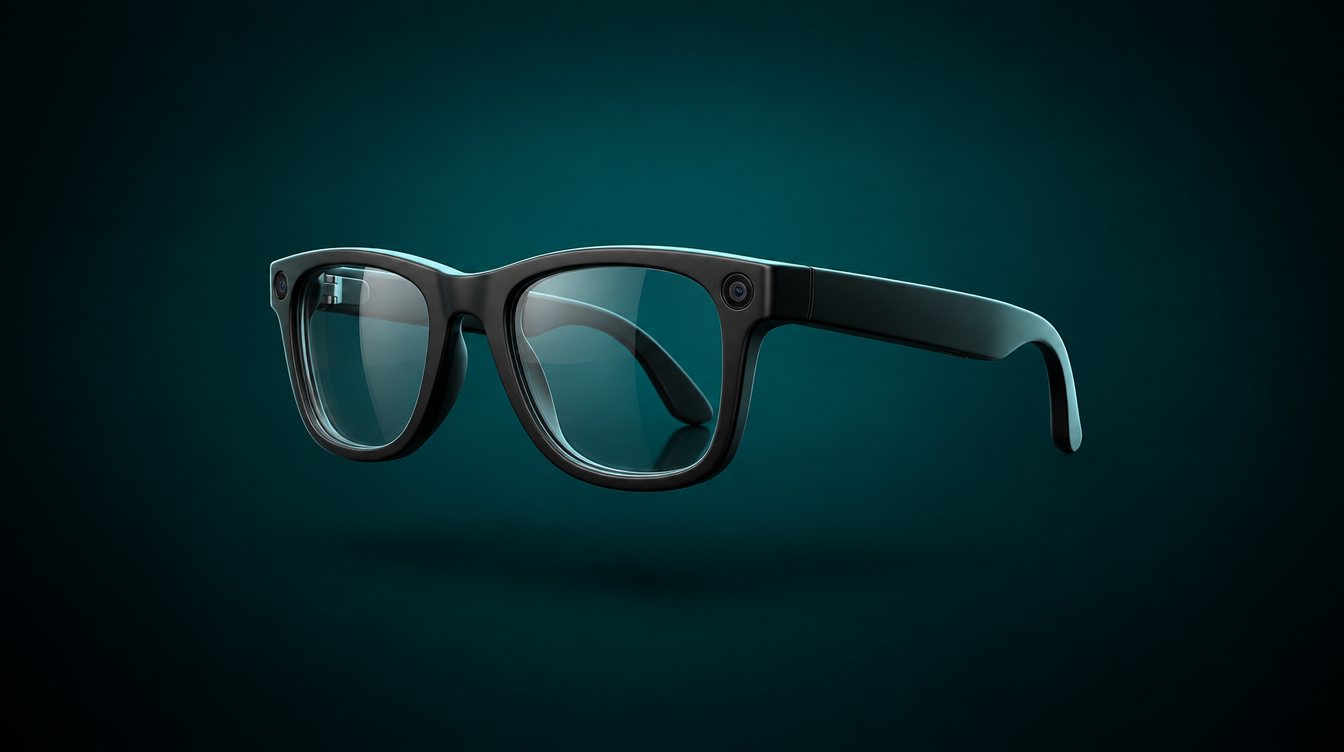
Then make the end frame from the start frame, not from scratch. Give the model the start frame as the reference and ask for the change only:
Keep the exact camera angle, framing, lighting and background of the
input image. The glasses are now shown as an exploded view: lenses, front
frame, both temple arms and the parts inside them float apart along clean
lines, evenly spaced, as in a product teardown render. Same scale, same
center point, nothing cropped at the edges.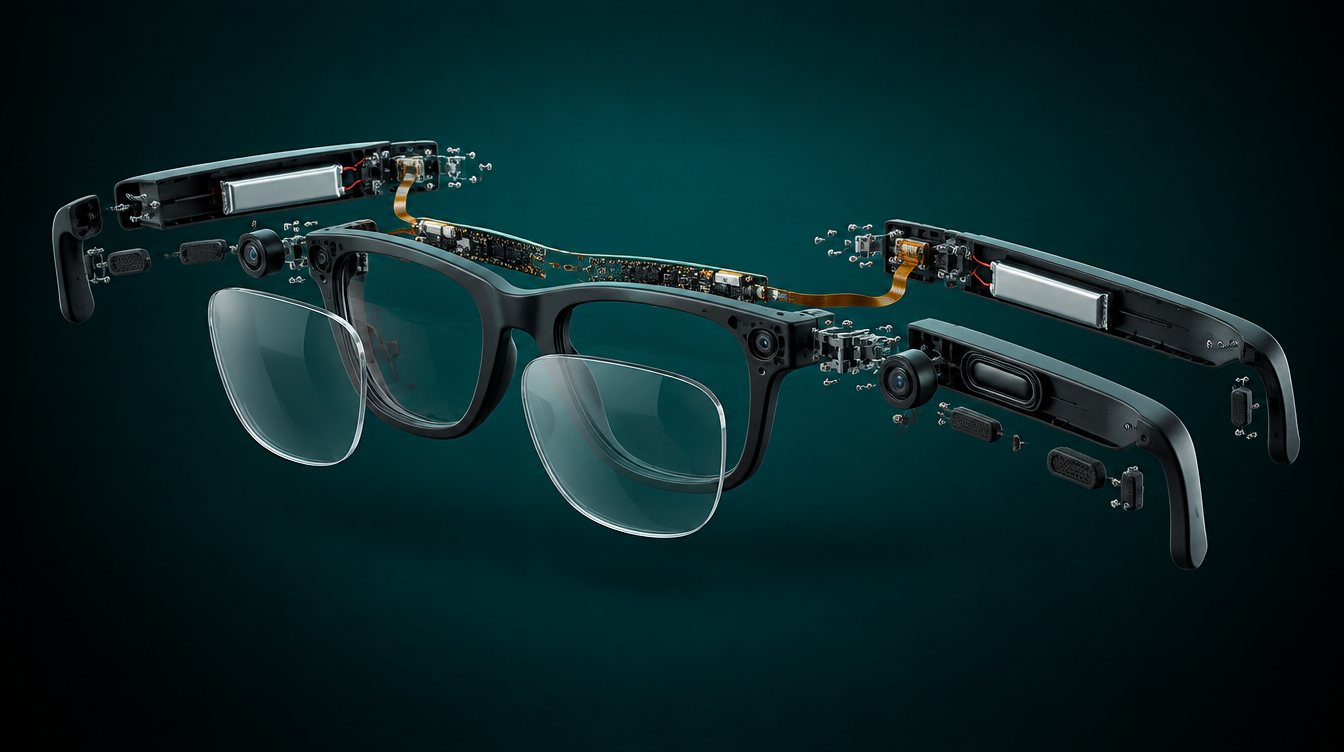
My exploded view is illustrative. The model invented those boards, batteries and screws, and they are not the real internals of Glimpse Glasses. That was fine for a tutorial. On a real product page it is a claim about your hardware. Use your own CAD renders or teardown photos as the end frame, or label the animation as illustrative right on the page.
Two rules make the next step work. Keep the camera, light and background identical in both frames, and keep the product inside the middle 60% of the image, because phones will crop the sides.
Step 2: Animate between them
Now you need a video model that takes both a start frame and an end frame and fills in the motion. Higgsfield has several, and its start and end frame guide shows where to upload each one. I made mine at 16:9 and 5 seconds.
The glasses slowly come apart into the exploded view. Every part moves
outward at the same steady pace from the first frame to the last. Static
camera, no zoom, no rotation, no cuts, no flashes, background unchanged.
Even motion matters more than anything else. Once the scroll drives the clip, any burst of speed feels like lag. If a part jumps or a new piece appears from nowhere, generate again before you move on.
Step 3: Split the clip into frames
You could scrub the video file itself. The problem is how video is stored. Only some frames are full pictures, called keyframes, and the frames in between are saved as changes. ffmpeg's -g option sets how far apart those keyframes are. When scroll jumps to a moment, the browser has to decode forward from the last keyframe, and that is the stutter you see on cheap scroll videos. One fix is to encode every frame as a keyframe, which the reactive sites guide walks through.
For a product page I prefer the other fix: turn the clip into numbered images and draw them on a canvas. Every frame is exact, it behaves the same in every browser, and you can load the first frame before anything else. That is how the CSS-Tricks walkthrough of the AirPods Pro page rebuilds it too.
Check the clip's frame rate first. Mine came out at 24 fps, and extracting at 30 only adds copies of frames, not motion. Ask Claude Code, or run it yourself:
ffmpeg -i clip.mp4 -vf "fps=24,scale=1600:-2" -c:v libwebp -quality 70 frames/%04d.webpWatch the weight. My 151 frames as 1600 pixel JPEGs came to about 9 MB. The same frames as WebP were about 4 MB, and a 1080 pixel set at 24 fps was about 2 MB. Make that smaller set for phones and put it in frames/mobile/.
Step 4: Ask Claude for a scroll linked canvas
This is the prompt from the reel. Put the frames in a folder and paste it into Claude Code:
Using the frames in /frames, build a scroll linked image sequence on an
HTML canvas. Preload every frame first, then map the scroll position to
the frame index so the glasses come apart frame by frame as I scroll, the
same technique Apple uses on its product pages. Pin the canvas while the
sequence plays, fade in four short lines of copy at set points, and keep
it smooth on mobile.
That gets you the effect. Before I would put it on a real product page, I add a second prompt with the details that make it hold up:
Improve the page:
1. Draw frame 1 right away and load the rest in the background. Never
   block the page behind a loading screen.
2. Await img.decode() on each frame before it can be drawn.
3. Load frames/mobile/ on screens under 760 px wide.
4. Draw only when the frame index changes, from one
   requestAnimationFrame loop, and cap the pixel ratio at 2.
5. Keep all copy as real HTML text, not text inside the images.
6. With prefers-reduced-motion: reduce, skip the sequence. Show the end
   frame as a still image with the four lines as normal sections.
Serve it locally and show me the URL.
decode() makes sure an image is ready to paint, so the canvas never stalls on a frame. Real HTML text can be read by search engines and screen readers. And prefers-reduced-motion is how the operating system tells your page that someone wants less motion. Scroll driven animation is exactly the kind of motion that setting is for.
Then scroll it on your own phone, slowly and fast, on mobile data. If it waits on a blank screen, cut the frame count. If the motion steps, the clip is probably uneven, so go back to step 2.
Once this works, the animation is the easy part. Spend your time on the end frame instead. An exploded view sells a product by looking like the truth, so make sure it is.