I Put a Coding Agent on Strings and Moved It With My Fingers
I saw a short clip of someone holding a robot on strings with their bare hand, in front of a webcam, with a fake terminal scrolling beside it. The caption was a joke about agentic coding. I laughed, and then I wanted one.
So I built it in an evening. Five strings run from my fingertips to a 3D android. I lift a finger and an arm follows. Everything runs in the browser, and the video never leaves my laptop.
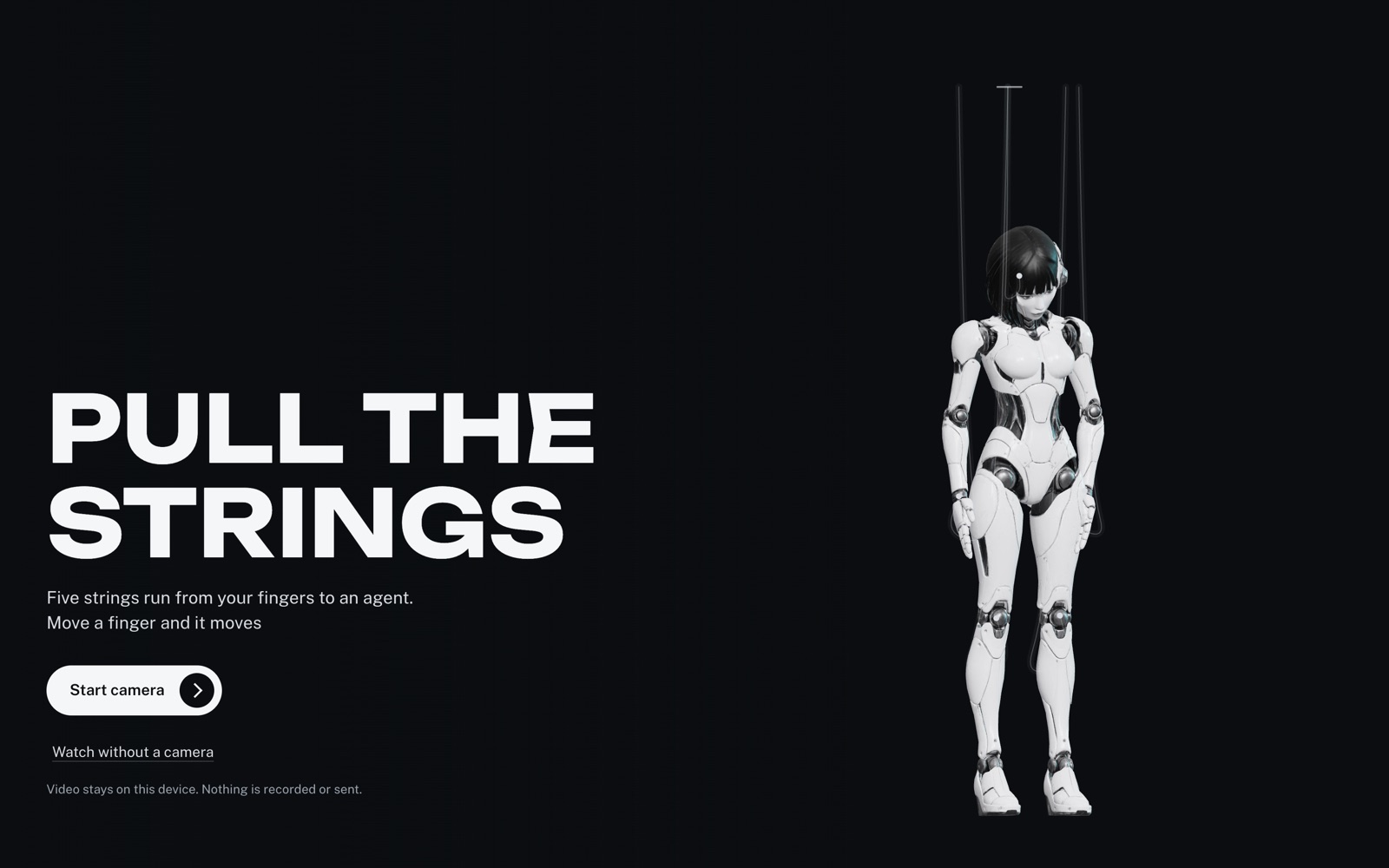
This is how it works, piece by piece. None of it is exotic. The fun is in how the pieces meet.
The hand
Hand tracking is the part people assume is hard. It is the easiest part. Google's MediaPipe Hand Landmarker takes a video frame and returns 21 points for each hand: the wrist, and four points along every finger. It runs as WebAssembly in the page, on the GPU when it can.
const files = await FilesetResolver.forVisionTasks('vendor/wasm');
const tracker = await HandLandmarker.createFromOptions(files, {
  baseOptions: { modelAssetPath: 'models/hand_landmarker.task', delegate: 'GPU' },
  runningMode: 'VIDEO',
  numHands: 1,
});
const result = tracker.detectForVideo(video, performance.now());
I host the model and the WebAssembly files myself, so the page talks to nobody else. That also lets me keep a strict Content Security Policy on it.
The points come back relative to the camera frame. The video on screen is mirrored and cropped to fill the window, so each point has to go through the same flip and the same crop before it lines up with your real fingertip. Get that wrong by a few pixels and the whole illusion dies.
From a finger to a string
I did not want gestures. A gesture is a switch, and a puppet is not a switch. I wanted every finger to be a continuous value.
For each finger I measure how far the tip sits from its knuckle, along the direction the hand is pointing, divided by the size of the palm. A curled finger gives about zero. A straight one gives about one. Because it is measured in the hand's own frame, it does not care whether the hand is near, far or tilted.
That number does not drive the puppet directly. It goes through a spring first, slightly underdamped, so a limb overshoots a little and settles. That small bounce is what makes it read as weight on a string instead of a slider.
The mapping is the classic marionette one. Thumb holds the head. Index and middle hold the arms. Ring and pinky hold the knees.
The android
The character already existed as a portrait I had made for another project. A puppet needs a body with joints, so I made one in two steps.
First I asked an image model for the same character, full body, front on, standing in an A pose on a flat gray background. The A pose matters. Arms away from the body is what lets the next step find the shoulders.
Then I ran that image through an image to 3D model with auto rigging turned on. A few minutes later I had a textured mesh with a 24 bone skeleton: hips, spine, neck, head, and three bones for each arm and leg. I shrank the textures to 1024 pixels and the file dropped from 16 MB to under 5.
Moving bones you did not rig
An auto rigged skeleton comes with a catch. You do not know which way each bone's axes point, so you cannot just say rotate the elbow 40 degrees around X.
The fix is to never think in bone axes at all. Work in world space. Take the bone, take the joint below it, and take the place you want that joint to be. Find the rotation that turns one direction into the other, then convert it back into the bone's local space.
function aim(bone, child, target) {
  const from = child.getWorldPosition(a).sub(bone.getWorldPosition(b)).normalize();
  const to = target.clone().sub(b).normalize();
  const turn = new THREE.Quaternion().setFromUnitVectors(from, to);
  const world = bone.getWorldQuaternion(new THREE.Quaternion());
  const parent = bone.parent.getWorldQuaternion(new THREE.Quaternion()).invert();
  bone.quaternion.copy(parent.multiply(turn.multiply(world)));
}
That one function poses the whole puppet. An arm is two calls: work out where the elbow has to be from the two bone lengths, aim the upper arm at it, then aim the forearm at the hand's target. A leg is the same idea with the knee as the thing on the string, and the shin left to hang.
Every frame starts by putting all the bones back in their rest pose. Then the pulls are applied on top. No state leaks from one frame to the next, so nothing drifts.
The strings
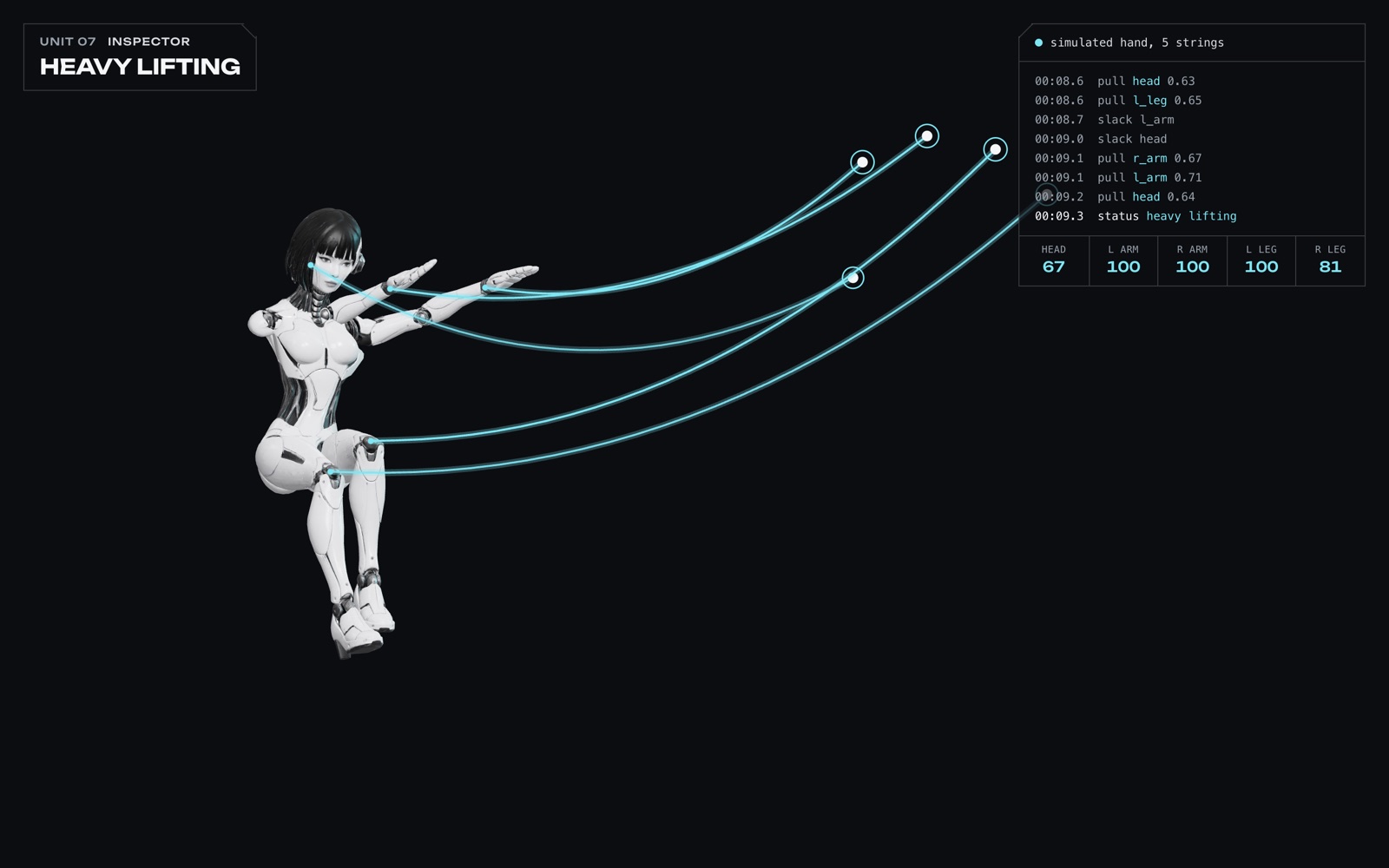
The strings are not in the 3D scene. They are drawn on a plain 2D canvas on top of it, from each fingertip to the point where the limb sits on screen.
Each one is a chain of 14 points with gravity, held at both ends. This is Verlet integration, the oldest trick in game physics: move each point by how far it moved last frame, add gravity, then nudge neighbors back to the right distance a few times.
A pulled string is given almost exactly the length it needs, so it runs straight. A slack one is given extra, so it sags and swings. Nothing tells the string how to look. It follows from the length.
A readout that tells the truth
The clip that started this had a terminal full of invented activity. Training epochs, memory migrations, file sizes. It looks great and none of it is happening.
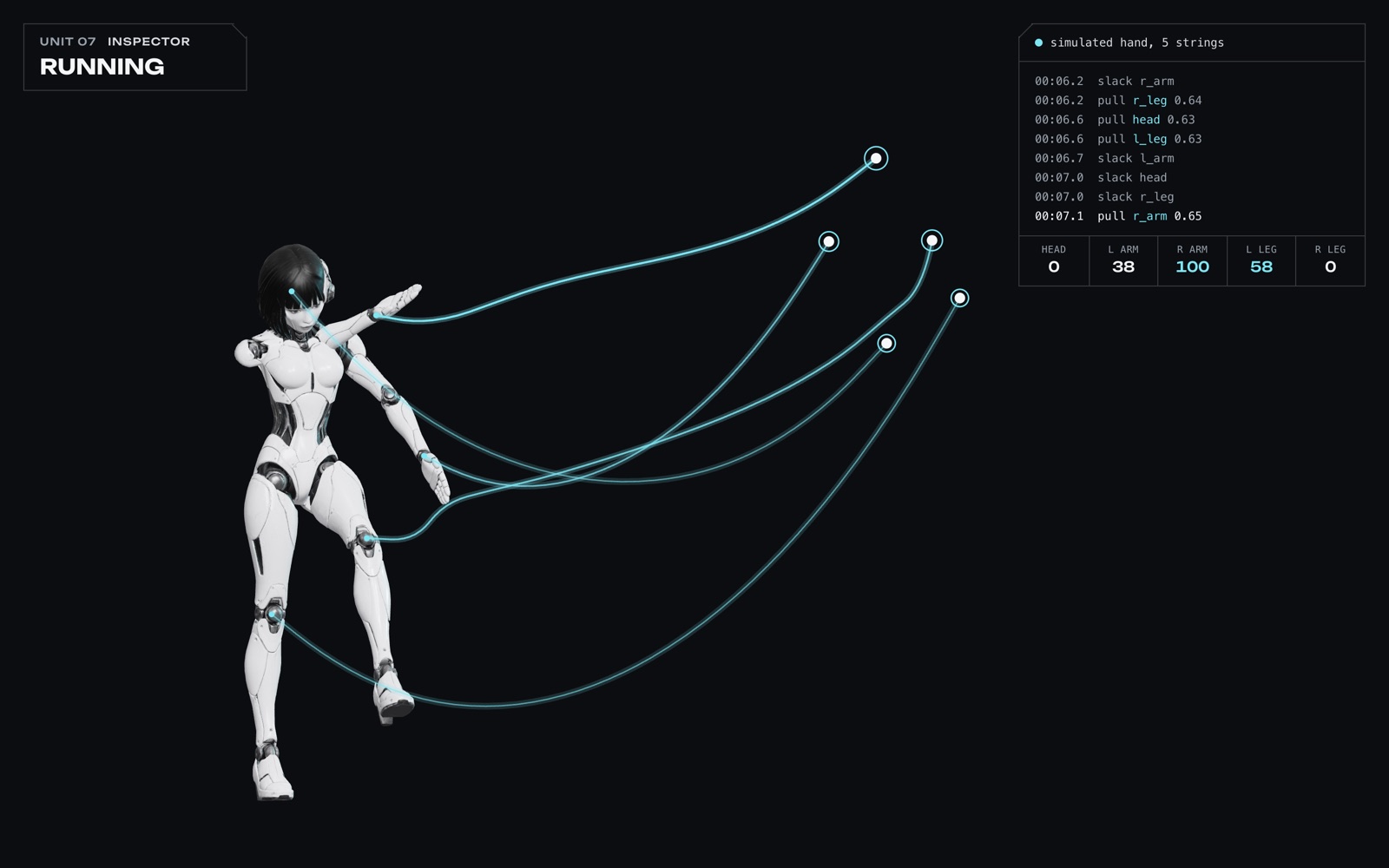
I kept the readout and made it honest. The status is worked out from the hand. Idle means the fingers are still. Running means they are moving. Heavy lifting means every string is pulled at once. The log lines are real events with real numbers, like which string went tight and how far.
It turns out the true version is more fun to watch, because it answers to you. You wiggle a finger and a line appears.
Testing a webcam page without a webcam
You cannot check this kind of page by reading the code, and waving at a laptop for every change gets old. Two things made it testable.
The first is a simulated hand. A small function produces the same 21 points from a script: relaxed, wiggling, open, fist. The page cannot tell the difference, so every screenshot is repeatable.
The second is Chrome's fake camera. Two flags make the browser play a video file as if it were the webcam, and accept the permission prompt on its own:
--use-fake-device-for-media-stream
--use-file-for-fake-video-capture=hand.mjpeg
That runs the real path end to end: camera, tracker, puppet. I fed it photos of a pointing hand, a victory sign and a thumbs up, and checked that each one pulled the right strings and no others.
What to steal from this
If you want to build something similar, these are the parts worth keeping:
- Measure fingers in the hand's own frame, scaled by the palm. Distance and tilt stop mattering.
- Put a spring between the input and the thing it moves. Raw tracking looks robotic, a little overshoot looks alive.
- Pose an unknown rig in world space with one aim function.
- Draw the strings in 2D. They only need to look right from one camera.
- Show real state. A fake log is a decoration. A true one is feedback.
- Build a simulated input on day one, so the page can be tested the same way every time.
The whole thing is one HTML page, one script and three files it loads: the tracker, its model and the android. People call this kind of thing a toy, and they are right. It is also the fastest way I know to understand hand tracking, skeletons and a bit of physics in one sitting.